



Restaurant Website UX Best Practices for Owners in 2026
Restaurant Website UX Best Practices for Owners in 2026

TL;DR:
- Restaurant websites must prioritize mobile-first design, fast loading, and HTML menus to boost conversions. Consistent contact information, strategic visuals, and ongoing performance monitoring are essential for maintaining user trust and ranking high in search results. Regular updates and system integration turn a site into an effective sales tool that supports business growth.
Restaurant website UX best practices are the design and technical decisions that turn casual visitors into paying customers. Over 80% of restaurant searches happen on mobile devices, which means a site that looks great on a desktop but fumbles on a phone is actively losing orders. The industry term for this discipline is restaurant user experience design , and it covers everything from tap target sizing and page load speed to HTML menu structure and accessibility compliance. Get these fundamentals right, and your website becomes your best-performing front-of-house staff member.
What are the restaurant website UX best practices that drive real conversions?
The single most important principle is this: your website is an ordering and reservation tool, not a digital brochure. Every design decision should reduce the steps between a hungry visitor and a completed transaction. One-click access from the homepage to ordering or reservation flows is the baseline standard. Each extra click or loading delay measurably increases abandonment rates. That means your "Order Now" and "Reserve a Table" buttons belong above the fold on every device.
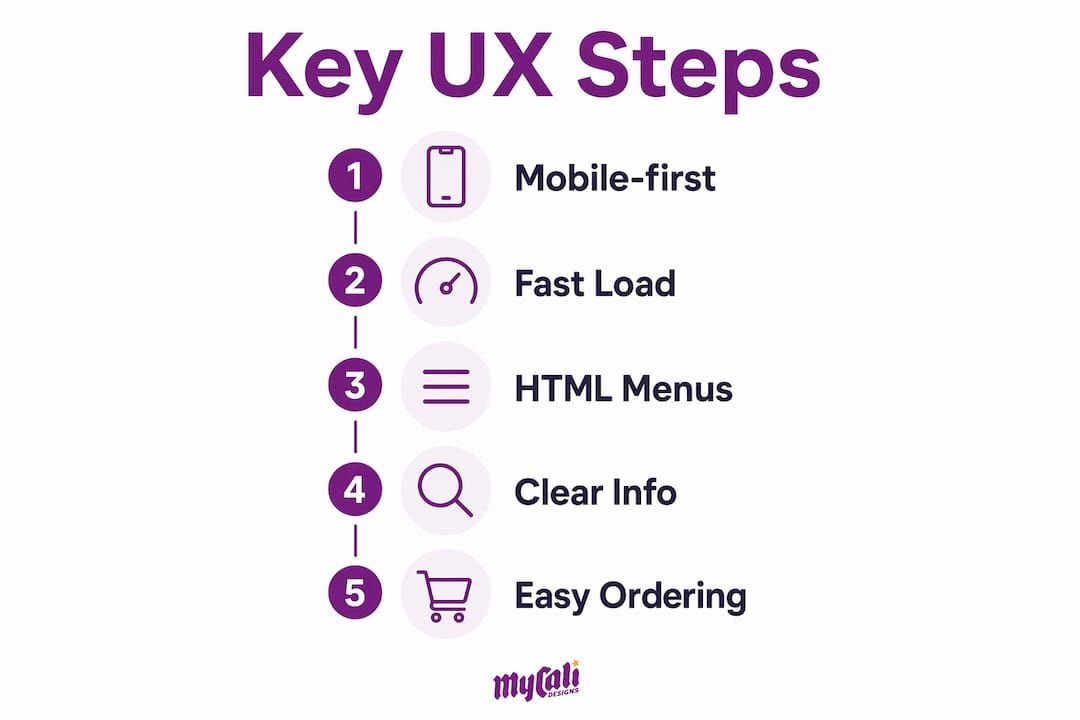
Speed is the second non-negotiable. A one-second delay in page load reduces conversion rates by 7%. Third-party ordering widgets can add 1–3 seconds of load time if they are not loaded asynchronously. The math is simple: slow pages cost you real money, not just rankings.
How does mobile-first design impact restaurant website usability and conversions?
Mobile-first design means building your site for the smallest screen first, then scaling up. It is not just about making a desktop layout shrink. Mobile-first design anticipates how diners physically hold their phones, which means optimizing for one-handed thumb navigation from the start.
The practical rules for a mobile-first restaurant site include:
- Tap targets: Every button, link, and interactive element must be at least 44x44 pixels. Tap targets smaller than 44 pixels cause user frustration and missed conversions on mobile.
- Single-column layouts: Stack content vertically. Side-by-side columns force users to pinch and zoom, which kills the experience.
- Readable font sizes: Body text below 16px forces users to zoom in. That friction adds up fast.
- Fast-loading images: Use WebP format and lazy loading so images appear as users scroll rather than blocking the initial page load.
- Sticky navigation: Keep your "Order" and "Reserve" buttons visible as users scroll. Do not make them hunt.
Pro Tip: Run the "one-thumb test" on your site. Hold your phone in one hand and try to complete an order using only your thumb. If you cannot reach key buttons or must shift your grip, your layout needs work.
Core Web Vitals are Google's official performance benchmarks and they apply directly to your restaurant site. Achieving Core Web Vitals targets means hitting Largest Contentful Paint (LCP) at or below 2.5 seconds, Interaction to Next Paint (INP) at or below 200 milliseconds, and Cumulative Layout Shift (CLS) at or below 0.1. Miss these numbers and Google ranks your site lower in local search results, which directly cuts your visibility before a single visitor even arrives.
What are the best practices for structuring menus on restaurant websites?
Your online menu is the most visited page on your site. How you build it technically determines whether search engines and customers can actually use it.
The four rules for a high-performing restaurant menu page:
- Use HTML text, not PDFs. PDF menus are invisible to search crawlers. HTML text-searchable menus are mandatory for SEO and accessibility in 2026. Search results containing explicit menu keywords drive 16% more user engagement than those without.
- Organize by logical category. Group items the way customers think: appetizers, mains, desserts, drinks. Add filters for dietary needs like vegan, gluten-free, or nut-free so users find what they need without scrolling through everything.
- Include prices and descriptions. Hiding prices creates friction. A brief, honest description of each dish reduces decision anxiety and increases order confidence.
- Add menu schema markup. Menu schema markup enables Google and AI assistants to understand specific dishes and dietary options, boosting visibility for targeted search queries like "gluten-free pasta near me."
Here is how HTML menus compare to PDF menus across the metrics that matter most:
| Feature | HTML menu | PDF menu |
|---|---|---|
| Search engine indexing | Full indexing of all items | Not indexed |
| Mobile readability | Native, responsive | Requires zoom and scroll |
| Update speed | Instant edits in CMS | Requires file replacement |
| Accessibility compliance | Supports screen readers | Poor screen reader support |
| Schema markup support | Yes | No |
Pro Tip: Build your menu in your content management system with a simple template. When you change a price or add a seasonal item, you update one field. No designer required, no PDF to re-export.
For deeper context on how menu structure affects sales, the menu engineering guide from Mycalidesigns walks through the profit logic behind item placement and categorization.
Why is clear and consistent display of restaurant location, hours, and contact essential for UX?
A customer who cannot find your hours or phone number in under five seconds will move on to the next result. This is not a design preference. It is a conversion fact.
The non-negotiable contact and location standards for every restaurant site:
- Hours on every page. Place your hours in the header or footer so they appear regardless of which page a visitor lands on. Do not hide them on a "Contact" page alone.
- Click-to-call phone numbers. Every phone number on a mobile restaurant website should trigger a call when tapped. A phone number displayed as plain text on mobile is a missed conversion.
- Embedded Google Maps. Embedding a live map removes the step of copying an address into a separate app. For multi-location restaurants, Google Maps embeds combined with location-specific pages improve neighborhood search targeting.
- LocalBusiness schema markup. Adding structured data for your business name, address, phone, and hours tells Google exactly who you are. This directly supports your local SEO rankings.
- Consistent information across platforms. Maintaining consistent, up-to-date information across your website, Google Business Profile, and delivery platforms is critical for visibility and customer trust. Conflicting hours or addresses erode both.
Inconsistent contact information is one of the most common and most damaging UX failures on restaurant sites. It signals to both customers and search engines that the business is not actively managed.
How do visual elements and layout choices influence user engagement and ordering behavior?
Visuals do not exist to make your site look attractive. They exist to reduce uncertainty and guide decisions. The distinction matters because it changes which photos you choose and where you place them.
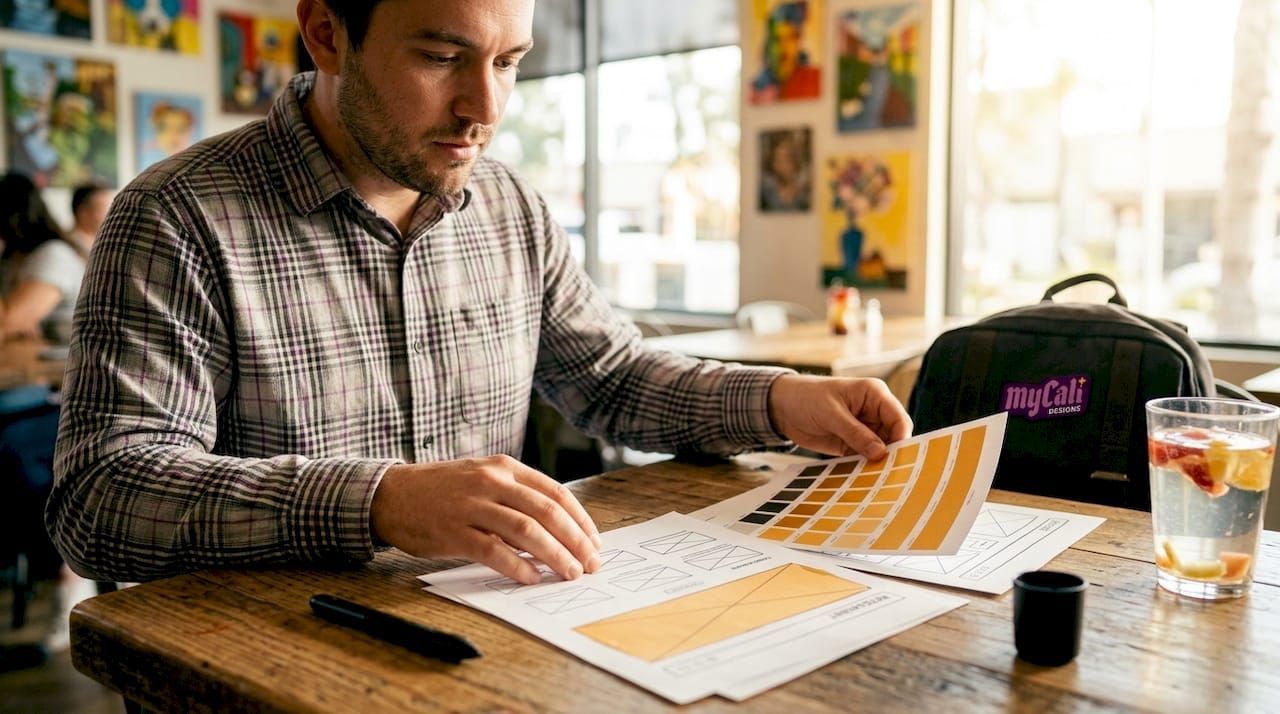
Professional food photography placed near ordering calls-to-action increases conversions by up to 25%. The photo of your signature dish belongs next to the "Order Now" button, not buried in a gallery page. Too many photos in one place distract users and slow load times. Choose a limited set of high-quality images and place them with purpose.
Visual hierarchy is the practice of arranging elements so the most important ones get noticed first. Your primary calls-to-action, "Order Now," "Reserve a Table," and your phone number, should be the largest and most visually prominent elements on the page. Secondary information like your story or awards sits below. Whitespace is not wasted space. It gives the eye a place to rest and makes your calls-to-action stand out more clearly, especially on mobile screens.
- Avoid auto-playing videos and heavy animations. They increase load time and distract from conversion actions.
- Use consistent color and typography. Visual inconsistency signals a lack of professionalism and reduces trust.
- Limit your homepage to one primary action. Ask visitors to do one thing first, whether that is ordering or reserving.
Pro Tip: Convert all images to WebP format before uploading. WebP files are typically 25–35% smaller than JPEGs at the same visual quality. Pair this with lazy loading so images below the fold do not block your initial page render.
For a look at how branding consistency and visual choices translate into real business results, the restaurant branding examples article from Mycalidesigns offers concrete case comparisons.
What testing and maintenance practices keep a restaurant website performing well?
A restaurant website is not a set-and-forget asset. It requires regular monitoring and updates to stay competitive in local search and to keep customers from hitting dead ends.
- Monitor Core Web Vitals monthly. Use Google Search Console to track LCP, INP, and CLS scores. A score that slips below the target thresholds signals a performance problem that needs fixing before it affects rankings.
- Test your ordering and reservation flows on multiple devices. Use an actual iPhone and an Android device, not just a browser's mobile emulator. Real devices reveal friction that emulators miss.
- Update menu, hours, and events regularly. Outdated information is the fastest way to lose customer trust. Set a calendar reminder to audit your site every time your menu or hours change.
- Add accessibility features for ADA compliance. Alt text on images, keyboard-navigable menus, and sufficient color contrast are not optional extras. They expand your audience and protect you legally. Web accessibility standards also carry direct SEO benefits by making your content more readable to search crawlers.
- Audit third-party scripts quarterly. Reservation widgets, chat tools, and analytics scripts accumulate. Each one adds load time. Remove any script that does not directly support a conversion goal.
"PageSpeed and UX metrics directly correlate with conversion rates in restaurant websites, with small delays causing measurable drops in completed orders."
The goal of ongoing maintenance is not perfection. It is consistency. A site that loads fast, shows accurate information, and works on every device builds the kind of trust that turns first-time visitors into regulars. For practical guidance on improving user engagement through site performance, the principles apply directly to restaurant sites competing in local markets.
Key Takeaways
The most effective restaurant website UX combines mobile-first design, HTML menus with schema markup, fast load times, and consistent contact information to convert visitors into customers.
| Point | Details |
|---|---|
| Mobile-first is non-negotiable | Over 80% of restaurant searches happen on mobile; tap targets must be at least 44x44 pixels. |
| HTML menus outperform PDFs | HTML menus are indexed by search engines and drive 16% more engagement than PDF-based alternatives. |
| Speed directly affects revenue | A one-second load delay reduces conversions by 7%; meet Core Web Vitals targets to protect rankings. |
| Contact info must be everywhere | Hours, click-to-call numbers, and map embeds belong on every page, not just the contact page. |
| Maintenance is part of UX | Regular audits of menu data, scripts, and accessibility features keep performance and trust high. |
What I've learned from watching restaurant sites leave money on the table
Most restaurant owners I work with come in thinking their website needs a visual refresh. New fonts, a new color palette, maybe a video header. What they actually need is a site that works like a well-run front-of-house operation.
The sites that convert are not always the prettiest. They are the ones where a hungry person on their phone can find the menu, see the hours, and place an order in under 60 seconds. That is the real standard. Aesthetics matter, but they are secondary to function. A beautiful site that loads in four seconds and buries the phone number is losing customers every single day.
The other pattern I see consistently: restaurants treat their website as separate from their operations. It is not. Your site should connect directly to your POS system and reservation platform. When those systems talk to each other, you reduce errors, save staff time, and give customers a consistent experience from the first click to the final check. That integration is where the real operational value lives.
My honest recommendation is to measure before you redesign. Pull your Core Web Vitals scores. Check your mobile conversion rate in Google Analytics. Find out where users are dropping off. The data will tell you exactly what to fix, and the fixes are almost always more technical than visual.
— Cesar
How Mycalidesigns builds restaurant websites that work as hard as you do
Restaurant owners who want a site that actually drives orders need more than a good-looking template. Mycalidesigns builds custom restaurant websites designed from the ground up for mobile performance, local SEO, and conversion. Every site we build includes HTML menu structure, schema markup, click-to-call functionality, and Core Web Vitals compliance as standard.
We also connect your site to the ordering and reservation platforms you already use, so your website functions as a real part of your operation. Our website and SEO services cover ongoing performance monitoring, accessibility audits, and content updates so your site stays competitive long after launch. If you are ready to turn your website into your strongest sales channel, we are ready to build it with you.
FAQ
What is the most important UX element on a restaurant website?
One-click access to ordering or reservation flows is the single most critical element. Every extra step between landing and conversion increases abandonment rates.
Why should restaurant menus be in HTML instead of PDF?
HTML menus are fully indexed by search engines, support schema markup, and work natively on mobile devices. PDF menus are invisible to search crawlers and require zooming on phones.
What are Core Web Vitals and why do they matter for restaurants?
Core Web Vitals are Google's performance benchmarks: LCP at or below 2.5 seconds, INP at or below 200 milliseconds, and CLS at or below 0.1. Sites that miss these targets rank lower in local search results.
How do click-to-call numbers improve restaurant website UX?
A tappable phone number lets mobile users call instantly without copying and pasting. Every phone number on a mobile restaurant site should trigger a call when tapped.
How often should a restaurant website be updated?
Menu items, hours, and event information should be updated every time they change. Core Web Vitals scores and third-party scripts should be audited at least once per quarter.
Recommended
Recent Posts