


Email Marketing Guide for Services: Grow in 2026
Email Marketing Guide for Services: Grow in 2026

TL;DR:
- Email marketing offers a high return on investment by delivering personalized, automated messages based on real client data. Building a small, high-quality list and utilizing targeted sequences significantly increase revenue for service businesses. Consistent personalization and integration with operational data improve engagement and long-term growth.
Email marketing is the practice of sending permission-based, timely, and relevant messages to your service clients to boost repeat business, referrals, and revenue. For service-based businesses, it is the single most cost-effective channel available. Email marketing delivers $36.42 for every $1 spent, making it far more profitable than paid social or display advertising. This guide covers the tools, list-building methods, campaign sequences, and automation techniques that actually move the needle for small and medium service businesses. Compliance frameworks like CAN-SPAM and GDPR require permission-based sending, so every strategy here starts from that foundation.
What tools do you need to start email marketing for services?
The right platform does more than send emails. For service providers, the best email service providers combine automation, CRM sync, and simple list segmentation in one place. Entry-level platforms work well for solo operators or teams under ten people. Enterprise platforms add advanced behavioral triggers, multi-location management, and deeper CRM integrations. The table below compares tool categories by the features that matter most to service businesses.

| Tool category | Automation | CRM sync | Ease of use | Cost range |
|---|---|---|---|---|
| Entry-level platforms | Basic sequences | Manual import | High | $0–$30/mo |
| Mid-tier platforms | Behavioral triggers | Native integrations | Medium | $30–$150/mo |
| Enterprise platforms | Full workflow builder | Real-time API sync | Lower | $150+/mo |
CRM or job management software integration is the piece most service businesses skip, and it is the piece that matters most. Context-aware emails tied to CRM data improve conversion rates because they reference real client history, not generic copy. A plumber who sends a "time for your annual water heater flush" email to the exact clients who had that service 11 months ago will always outperform a generic newsletter blast.
Pro Tip: Browser automation tools let you sync job and quote data from your CRM into your email platform without complex API setup. This is a practical shortcut for small service businesses that want personalized campaigns without a developer on staff.
How do you build a high-quality email list for a service business?
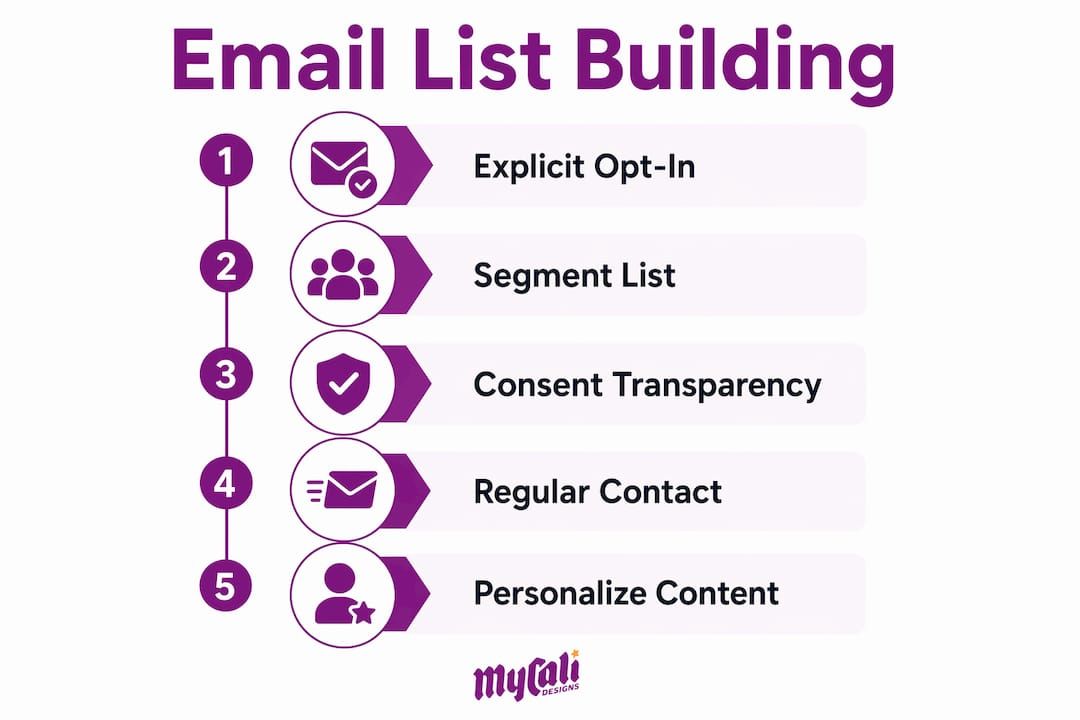
List quality beats list size every time. Starting with 100 high-intent clients produces better referrals and repeat bookings than a cold list of 10,000 strangers. The goal in the first 90 days is not volume. The goal is deliverability and engagement, and those come from people who already know and trust you.
The best collection points for service businesses are:
- At booking: Add an email field to your online booking form and include a clear opt-in checkbox with a short description of what subscribers will receive.
- At checkout or invoice: Include a one-line opt-in on your invoice or payment confirmation page. Clients who just paid are in a positive mindset.
- At the service point: Train front-desk staff or field technicians to ask for an email address and explain the benefit ("We send reminders and exclusive offers to our email list").
- On your website: Use a simple lead magnet, such as a free maintenance checklist or a discount on the next booking, to collect emails from site visitors.
Explicit opt-in consent is non-negotiable. Never import a purchased list or add contacts without their knowledge. Email deliverability depends on sender authentication through SPF, DKIM, and DMARC records, one-click unsubscribe, and keeping spam complaint rates below 0.3%. Violating any of these damages your sender reputation and can get your domain blacklisted.
Segment your list from day one. Group clients by service type (HVAC vs. plumbing), by lifecycle stage (new client vs. lapsed), and by behavior (opened last three emails vs. never opened). Segmentation lets you send relevant messages instead of blasting everyone with the same content.
Pro Tip: Tell new subscribers exactly how often you will email them during the opt-in process. "We send one email per month with maintenance tips and seasonal offers" sets expectations and reduces unsubscribes.
What email sequences drive repeat bookings and referrals?
Automated sequences are the engine of a service business email program. Lifecycle email flows generate about 41% of total email revenue from only 5.3% of total sends. That ratio shows how much power a small number of well-timed, automated emails carries compared to mass broadcasts. The five sequences every service business should build are:
-
Welcome series. Send 4 to 6 messages over the first 14 days after a client subscribes or books for the first time. Use this series to introduce your team, explain your process, set expectations, and share your best content or offers.
-
Post-service follow-up. Send three emails after each completed job: a thank-you within 24 hours, a review request at 48–72 hours, and a rebooking reminder at 7 days. Effective post-service sequences timed to the client experience cycle consistently outperform standalone promotional emails.
-
Service interval reminders. Match the email timing to your natural service cycle. An HVAC company sends a tune-up reminder every six months. A lawn care business sends a pre-season prep email every spring. These emails feel helpful, not pushy, because the timing is logical.
-
Re-engagement campaign. Target clients who have not booked in 12 months or more. Send a two-email sequence: one that acknowledges the gap and offers a reason to return, and one final "we miss you" email with a clear offer. If they do not respond, move them to a suppression list to protect deliverability.
-
Referral request. Send this to your most engaged clients, those who opened multiple emails and rebooked at least once. A simple "know someone who needs our services?" email with a referral incentive costs nothing to send and can generate high-quality leads.
Pair your email reminders with SMS for appointment-critical services. SMS combined with email reduces no-show rates by up to 38%, which directly protects revenue for appointment-based businesses like salons, clinics, and home service companies.
How do you personalize and automate emails for better results?
Personalization is not just using a client's first name in the subject line. Real personalization means referencing the specific service they received, the quote you sent them, or the date of their last appointment. Automated, personalized emails triggered by CRM data dramatically increase booking rates compared to generic blasts. The difference is relevance, and relevance comes from data.
Here is how to build a personalization framework using the data you already have:
- Past service data: Trigger a follow-up email based on the specific service completed, not a generic "thanks for your business" message. A client who had a roof inspection gets a different email than one who had gutters cleaned.
- Open quotes: If your CRM shows an open quote that has not been accepted, trigger a gentle follow-up email at day 3 and day 7. Reference the quote number and the specific job. This alone can recover a meaningful portion of lost revenue.
- Client preferences: If a client always books on weekends or prefers a specific technician, use that data to personalize your rebooking reminders.
- Timing triggers: Set automation rules based on time since last service, not just calendar dates. A client who booked in october gets their reminder in april. A client who booked in march gets theirs in september.
The automation logic follows a simple structure: trigger, condition, action. The trigger is an event (job completed, quote sent, 30 days since last open). The condition filters who qualifies (clients in a specific service category, clients who have not rebooked). The action is the email that sends. Keep your workflows simple at first. One trigger, one condition, one email. Add complexity only after you see results from the basics. For a deeper look at lifecycle email strategies that apply directly to service businesses, the principles of retention-focused sequencing translate well across industries.
Understanding service marketing fundamentals also helps you frame your email content around the intangible nature of services, where trust and consistency matter more than product features.
Key Takeaways
Email marketing for service businesses works best when it combines a small, high-quality list with automated sequences tied directly to real client data and service history.
| Point | Details |
|---|---|
| ROI advantage is real | Email returns $36.42 per $1 spent, making it the highest-ROI channel for service businesses. |
| List quality beats size | Start with 100 high-intent clients to build deliverability before scaling your list. |
| Automation drives revenue | Lifecycle sequences generate 41% of email revenue from just 5.3% of total sends. |
| Personalization requires CRM data | Reference past services, open quotes, and booking history to make emails feel relevant. |
| Sequences beat broadcasts | Welcome, post-service, and re-engagement flows outperform one-off promotional emails. |
What I have learned from watching service businesses use email
Most service businesses I work with make the same mistake: they wait until they have a "big enough" list before they start. That thinking costs them months of compounding returns. The truth is that a 100-person list of real clients who trust you will generate more revenue than a 5,000-person cold list every single time.
The second mistake is treating email like a broadcast channel. Email is a conversation tool. The businesses that get the best results are the ones that send fewer emails, not more, and make every email feel like it was written specifically for the person reading it. That is not magic. That is CRM data and a few well-built automation rules.
The third thing I have seen consistently: businesses that integrate their email program with their actual job management data, even imperfectly, outperform those running email in isolation. You do not need a perfect tech stack. You need your email platform to know when a job was completed and what it was. Start there.
If you are just getting started, build your welcome series and your post-service follow-up first. Those two sequences alone will outperform anything else you could do with email in the first six months. Add complexity after you see results. For practical small business marketing tips that complement your email program, the fundamentals of consistent outreach apply across every channel.
— Cesar
How Mycalidesigns supports your email marketing foundation
A strong email program needs a strong brand behind it. Clients who receive a well-designed email from a business they recognize, with a clear logo, consistent colors, and a professional look, are far more likely to open, click, and book again.
At Mycalidesigns, we help service businesses build the visual foundation that makes every email more credible. From logo and brand identity design to full digital marketing services that support your campaigns, we build the pieces that make your business look like it belongs in the inbox. If your emails look inconsistent or your brand feels unfinished, that is the first problem to solve. We can help you fix it. Visit our agency services page to see how we work with service businesses like yours.
FAQ
What is the ROI of email marketing for service businesses?
Email marketing delivers an average return of $36.42 for every $1 spent, making it the highest-ROI digital channel available to service businesses in 2026.
How many emails should a welcome series include?
A standard welcome series should include 4 to 6 emails sent over the first 14 days after a client subscribes or books for the first time.
Should I buy an email list for my service business?
No. Purchased lists damage your sender reputation, violate CAN-SPAM and GDPR requirements, and produce near-zero engagement. Build your list from real clients who have opted in directly.
What is the most important email sequence for a service business?
The post-service follow-up sequence, which includes a thank-you, a review request, and a rebooking reminder, consistently produces the highest return because it reaches clients at peak satisfaction.
How do I keep my emails out of the spam folder?
Set up SPF, DKIM, and DMARC authentication on your sending domain, include a one-click unsubscribe link in every email, and keep your spam complaint rate below 0.3% by sending only to engaged, opted-in contacts.
Recommended
Recent Posts