




Why Update Your Restaurant Website: A Guide for Owners
Why Update Your Restaurant Website: A Guide for Owners

Your restaurant website is a revenue and reputation asset — and it only works that way when the menu is accurate, hours are current, and bookings or orders happen directly on your page. About 80% of customers search for a restaurant online before visiting, which means an outdated site is not a neutral presence. It actively costs you guests.
Here are the four things that must always be current:
- Menu (HTML format): prices, dish names, dietary tags, and seasonal changes
- Hours and location: standard schedule, holiday closures, and any temporary changes
- Ordering and reservations: working links, embedded widgets, and a clear call to action
- Events and specials: current promotions, not last season's happy hour.
Google Business Profile (GBP) pulls data from your site and your GBP listing together. When those two sources conflict, search engines flag the inconsistency and your local ranking suffers. Keeping your site current is not just good housekeeping. It is the foundation of local discoverability.
What exactly should you update on your restaurant website?
Think of this as your standing checklist. Run through it after any operational change, and do a full sweep at least once a month.
Menu
- Convert PDF or image menus to HTML. A PDF cannot be indexed by Google or read by AI assistants answering "what does [your restaurant] serve?"
- Add dish-level detail: ingredients, allergen flags, and price. Converting to HTML menus with structured data can unlock dish-level search results you are currently invisible for.
- Remove discontinued items immediately. A guest who orders something that no longer exists is a negative review waiting to happen.
Hours and location
- Confirm standard hours match your GBP listing exactly.
- Add a holiday-hours override process. A simple example: create a "Holiday Hours" section in your CMS that you toggle on for Thanksgiving week, then revert. One edit, no agency needed.
Ordering and reservations
- Embed your booking widget directly on the page rather than linking out to a third-party landing page. Every extra click loses guests.
- If you use a delivery app, also offer a direct-order option on your site. Third-party apps charge 25–35% commission on many orders; a direct channel keeps that margin.
Other pages to verify
- Contact page: phone, email, and map embed
- Staff or chef highlights: keep bios current if team members change
- Events and specials: remove expired promotions the same day they end
- Photo gallery: replace low-quality or outdated images; strong visuals are among the highest-converting elements on a restaurant page
- Accessibility statement: confirm your site meets basic ADA navigation standards
- Privacy notice: required if you collect any guest data (email sign-ups, online orders)
Pro Tip: Assign one person on your team as the "update owner" — the single point of contact responsible for keeping the site current. Give them CMS login credentials and a recurring 15-minute calendar task every Monday. This eliminates the "I thought someone else handled it" problem.
Why keeping your site current pays off in real business terms
An outdated site does not just look bad. It actively deters first-time guests who check menus and hours before deciding where to eat. The business case for regular updates runs across four areas.

SEO and discoverability
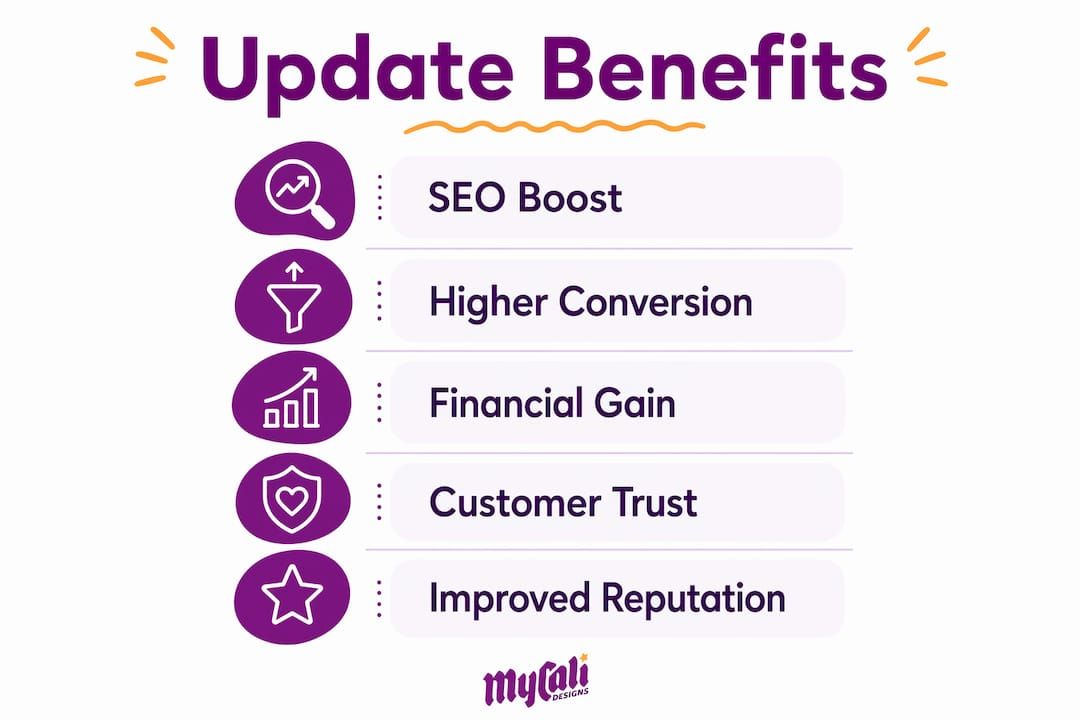
Fresh, accurate content signals to Google that your site is maintained. HTML menus with dish-level structured data make your restaurant visible for specific food queries ("gluten-free pasta near me") that a PDF menu will never capture. Consistent NAP (name, address, phone) across your site and GBP listing strengthens your local search position. For a deeper look at how updates connect to local rankings, local SEO for restaurants is worth understanding as a discipline, not just a one-time task.
Conversion and reduced friction
Accurate menus and embedded booking flows reduce the number of steps between "I want to eat there" and "reservation confirmed." Bounce rate drops when guests find what they need without hunting. A booking widget on your homepage converts better than a link to a third-party reservation page because it keeps the guest on your site.
Financial impact
The commission math is straightforward. If a third-party delivery app charges 30% and you process $10,000 a month through it, you are paying $3,000 in fees. Moving even a portion of those orders to a direct channel on your own site changes the margin picture meaningfully. Capturing guest emails during the order process also creates a repeat-marketing list you own outright.
Reputation and trust
Consumers treat site currency as a proxy for operational quality. A menu that still lists a dish you stopped serving six months ago, or hours that do not match your GBP listing, signals neglect. Regular audits that catch these friction points are low-cost fixes with outsized impact on first impressions and review sentiment.
How often should you update your restaurant website?
The honest answer: it depends on the type of change. Here is a practical cadence to follow.
- Immediately — menu price changes, hours changes, holiday closures, removing a sold-out item
- Weekly — new promotions, upcoming events, responding to or featuring recent reviews
- Monthly — photo refreshes, blog or news posts, full menu accuracy sweep, GBP sync check
- Quarterly — performance audit (page speed, mobile responsiveness), security patches, plugin updates, accessibility review
| Item | Recommended cadence | Acceptable minimum |
|---|---|---|
| Menu prices and items | Immediately on change | Within 24 hours |
| Hours and holiday schedule | Immediately on change | Same day |
| Events and specials | Weekly | Before the event date |
| Photos and gallery | Monthly | Quarterly |
| Blog or news content | Monthly | Quarterly |
| Security patches / CMS updates | As released | Monthly |
| Performance audit (LCP, CLS) | Quarterly | Twice per year |
| Accessibility review | Quarterly | Annually |
When is a full rebuild the right call?
Most operators rebuild their restaurant websites 12–24 months later than they should. Watch for these signals:
- You cannot update your menu or hours in under 60 minutes without calling a developer
- Your Largest Contentful Paint (LCP) score exceeds 4 seconds or your Cumulative Layout Shift (CLS) exceeds 0.25
- Your site is not mobile-responsive or fails Google's mobile usability test
- Deferred updates have accumulated to the point where fixing them costs more than rebuilding
A site that cannot be updated quickly creates what designers call "small leaks" — each deferred change widens the gap between your site and your competitors' sites a little more each week.
Pro Tip: Set a quarterly calendar reminder titled "Website Health Check." In 30 minutes, you can verify hours, test the booking widget, check one page's load speed in Google PageSpeed Insights, and confirm your GBP listing matches the site. That one habit prevents most of the problems that eventually force a costly rebuild.
How do you measure whether your updates are actually working?
Updating without measuring is guesswork. These are the metrics that tell you whether your site changes are moving the needle.
- Organic sessions — are more people finding you through search after content updates?
- Menu page CTR — in Google Search Console, is your menu page getting clicks from food-related queries?
- Bounce rate — are visitors staying longer after you improved navigation or added a booking widget?
- Reservation conversion rate — what percentage of visitors who reach your booking page complete a reservation?
- Online-order conversion — of visitors who click "Order Now," how many complete a transaction?
- GBP views and calls — Google Business Profile Insights shows how many people viewed your listing and called directly
- Average order value — does a redesigned menu page or upsell prompt increase the average check?
- Repeat-customer rate from owned channels — are guests who ordered directly returning more often than those who came through a third-party app?
| Metric | What it shows | Positive signal | Negative signal |
|---|---|---|---|
| Organic sessions | Search visibility | Rising after content update | Flat or falling after months of no updates |
| Menu page CTR | Dish-level discoverability | Clicks from food queries | No impressions for dish names |
| Bounce rate | Page relevance and UX | Decreasing over time | Spike after a redesign |
| Reservation conversion | Booking funnel health | Higher % completing booking | Drop after widget change |
| GBP calls | Local search intent | Increasing month-over-month | Flat despite hours update |
| Online-order conversion | Direct-channel revenue | Growing share vs. third-party | Stagnant while app orders grow |
Recommended tools: GA4 for sessions and behavior, Google Search Console for CTR and impressions, Google Business Profile Insights for local actions, and your reservation or ordering platform's built-in dashboard. Use UTM parameters on any promotional links (email campaigns, social posts) so you can attribute traffic accurately.
A simple experiment worth running: add a seasonal specials banner to your homepage, tag the link with a UTM, and check after two weeks whether the specials page saw a measurable lift in visits and orders. That kind of small test builds your intuition for what your specific audience responds to.
What are the best practices for updating your site without creating new problems?
Updates done carelessly can introduce technical debt faster than they fix it. These practices keep your site clean and your updates durable.
SEO and structured data
- Use HTML menus, not PDFs or images. Add schema markup at the dish level so Google can surface your items in rich results.
- Write descriptive alt text for every food photo ("pan-seared salmon with lemon caper sauce" beats "IMG_4521").
- Keep NAP consistent across every page and your GBP listing. Even a formatting difference ("St." vs. "Street") can create a mismatch signal.
Performance
- Compress images before uploading. A 4MB hero photo slows your page for every visitor. Tools like Squoosh or TinyPNG bring file sizes down without visible quality loss.
- Target an LCP under 2.5 seconds. Use a content delivery network (CDN) if your host does not provide one.
- Test every update on mobile before publishing. Responsive design is not optional when the majority of your guests are searching on a phone.
UX and accessibility
- Menus should be readable without zooming. Font size, contrast ratio, and spacing matter for guests with visual impairments and for everyone else on a bright day.
- Booking and order buttons need to be reachable by keyboard navigation, not just mouse clicks. This is the baseline of ADA-conscious web design.
- Clear calls to action on every key page: "Reserve a Table," "Order Online," "View Menu." Do not make guests hunt.
Security and compliance
- Apply CMS and plugin security patches promptly. An unpatched WordPress plugin is one of the most common entry points for site compromises.
- Back up your site before any significant update. A rollback plan takes 10 minutes to set up and can save hours of recovery work.
- If you collect guest emails or payment data, your site needs a privacy notice that explains what you collect and how you use it.
Process
- Test significant changes on a staging URL before pushing live.
- Keep a simple change log (a shared Google Sheet works fine) so you know what was updated and when.
- Choose a CMS that lets non-technical staff make content edits. If your platform requires a developer for every menu change, that is a platform problem, not a staffing problem. Designing a restaurant website that your team can actually maintain is as important as how it looks on launch day.
Pro Tip: Before any update goes live, open your site on your own phone with a fresh browser session and walk through the booking or order flow as a guest would. You will catch broken links, confusing CTAs, and slow-loading images faster than any automated tool.
How Mycalidesigns approaches restaurant website updates
The workflow Mycalidesigns uses with restaurant clients follows four repeatable steps. You can implement this yourself or use it as a brief when hiring any agency.
- Audit — review the current site against the checklist above: menu format, hours accuracy, booking/order funnel, mobile performance, GBP consistency, and security patch status. Document every gap with a priority rating (fix today vs. fix this quarter).
- Quick fixes — address the high-priority items first: convert PDF menus to HTML, fix broken booking links, correct hours discrepancies, compress oversized images. Most of these take under two hours total.
- Weekly content and seasonal updates — assign the update owner to handle promotions, events, and menu changes on a recurring schedule. Mycalidesigns provides CMS training so your team can handle routine updates without agency involvement.
- Quarterly technical review — check performance scores, apply security patches, review analytics for conversion trends, and assess whether any structural changes are needed before the next season.
The deliverables owners should expect from this process: an editable HTML menu with structured data, an embedded booking widget connected to your reservation platform, a GBP sync checklist, and a trained internal point of contact who can make updates independently.
A website that cannot be updated by your own team is a liability, not an asset. The goal of every build or refresh should be a site your staff can maintain, your guests can trust, and your analytics can measure — without a developer on speed dial.
When evaluating any agency for this work, ask to see before-and-after examples of search visibility improvements, booking funnel changes, and menu page performance. The workflow above is the standard; the evidence of results is what separates good execution from great.
Key Takeaways
Updating your restaurant website regularly protects revenue, improves local search visibility, and keeps bookings and orders on channels you own and control.
| Point | Details |
|---|---|
| Menu format matters most | Convert PDF menus to HTML with structured data to appear in dish-level search results. |
| Hours and GBP must match | Inconsistent hours between your site and Google Business Profile hurt local rankings. |
| Direct ordering saves margin | Third-party apps charge considerable commission on many orders; a direct channel on your site keeps that revenue. |
| Update cadence by item type | Fix hours and menu changes immediately; run performance and security audits quarterly. |
| Mycalidesigns provides the full workflow | Audit, quick fixes, CMS training, and quarterly reviews so your team stays in control. |
Why designers keep pushing for ongoing updates
The conventional wisdom says "update your website when it looks dated." That framing misses the real problem entirely.
What we see repeatedly is two failure modes. The first is technical debt: a site built on a platform that was never designed for owner-level editing. Every deferred update makes the next one harder, and eventually the cost of maintaining the site exceeds the cost of rebuilding it. The second failure mode is treating the website as a brochure rather than an operational hub. A brochure gets printed once. A hub gets updated every time your menu, hours, or promotions change, and it captures guest data that feeds your marketing for months afterward.
The ownership angle is the one most operators underestimate. Social media platforms, delivery apps, and review aggregators are rented channels. They can change their algorithms, raise their fees, or restrict your access at any time. Your website is the one place where you own the relationship with your guest. When a guest books directly through your site, you have their email, their order history, and the ability to market to them again without paying a platform for the privilege. That changes how you think about every update: it is not maintenance, it is investment in a channel you control.
Mycalidesigns's website and SEO services are built around this philosophy — design that serves operations, not just aesthetics. The restaurants that get the most from their sites are the ones that treat updates as a weekly habit, not an annual project.
Ready to get your restaurant site working harder for you?
Your website should be generating reservations, capturing direct orders, and showing up in local search results — not sitting idle between annual redesigns. Mycalidesigns offers custom website development built specifically for restaurant owners who want a site their team can maintain and their guests can trust.
A site audit from Mycalidesigns covers menu health (format, structure, and indexability), your booking and ordering funnel, mobile performance, and a prioritized fix list you can act on immediately. We also provide CMS training so your team handles routine updates without agency dependency. Whether you need a full rebuild or a focused refresh, we work as your single point of contact from audit through launch.
Request your restaurant website audit at mycalidesigns.com and get a clear picture of what is holding your site back.
Useful sources and further reading
- Does Your Restaurant Actually Need a Website in 2026? — Oddle: framework for treating your site as an owned hub
- When to Rebuild Your Restaurant Website: A Decision Framework — Muntin Digital: rebuild signals, performance thresholds, and update cadence
- Why the Digital Front Door Matters Now — Modern Restaurant Management: trust, friction points, and audit recommendations
- Maximize Reach with Effective Website Updates — Network Solutions: maintenance schedules and security prioritization
- Why Having a Website Is Essential for Restaurants — Zenchef: mobile-first behavior and conversion priorities
- Why Updating Website Content Boosts SEO — BabyLoveGrowth: content update strategy and organic traffic impact
- Why Prioritize Local SEO: Benefits for Local Businesses — BabyLoveGrowth: local search tactics for restaurants
- How to Manage Online Reputation: Step-by-Step Guide for SMBs — BabyLoveGrowth: review workflows and reputation management
- 3 Ways to Improve Your Restaurant Website Updates — GetBento: practical optimization tips for restaurant sites
- Mycalidesigns Blog: Restaurant Website UX Best Practices — UX checklists for restaurant owners
- Mycalidesigns: Custom Website Development and SEO Services — service details, portfolio, and contact
Recommended
Recent Posts